

For Polarion® ALM teams

Edit XLSX files directly in Polarion ALM — no app switching

The free SCell plugin integrates an Excel-style spreadsheet editor directly into Polarion Work Items, LiveDocs, and LiveReports. Install in minutes. Built by an official Siemens Polarion technology partner.

SCell Java/JavaFX Spreadsheet-Editor auf einem Monitor dargestellt
Free to evaluate · Built for engineering teams · Works with Polarion 2304 and later

How to integrate Excel in Polarion — step by step

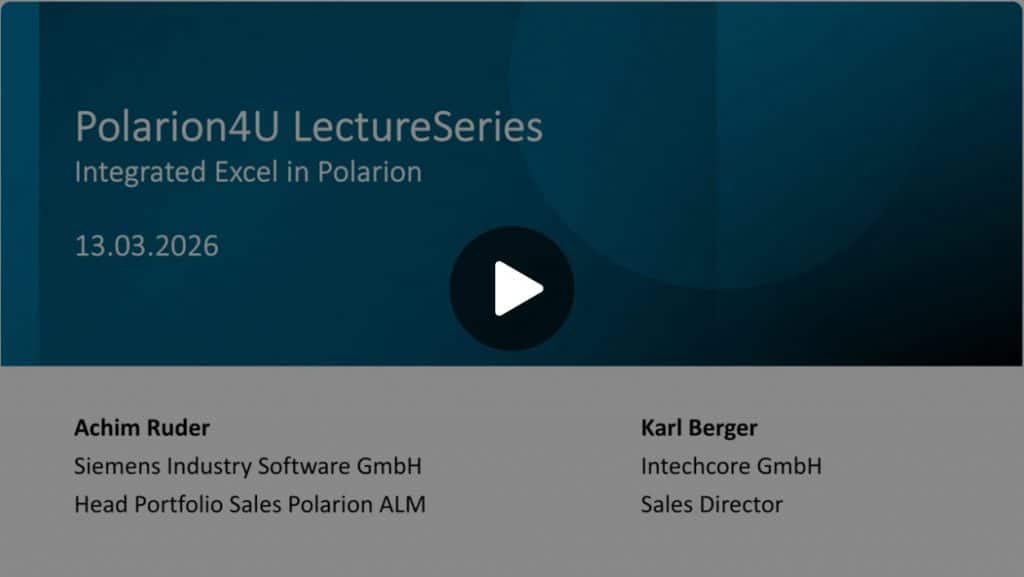
Integration walkthrough

Excel is the universal language for engineering specs — but how do you bring it into a modern ALM tool like Polarion? In this walkthrough we show the integration step by step: from plugin installation and server setup to your first XLSX edit, version control, and best practices for engineering teams.

Native Polarion integration

Works with Work Items, LiveDoc, LiveReport widgets, and attachments — exactly where your team already lives.

View and edit XLSX inline

Open and edit Excel files directly in the Polarion browser tab. No local downloads, no re-uploading, no version chaos.

Native Polarion versioning

Every saved edit creates a new attachment revision using Polarion’s existing version history.

Side-by-side comparison

Compare XLSX attachments or revisions side by side and see exactly what changed in data, formulas, and styles.

Free plugin or full SCell server — your choice

Free Plugin

SCell Server (Subscription)

What it is

The Polarion extension you download here, connecting to our shared SCell demo server

Your own SCell server installation — self-hosted or in your cloud

Best for

Testing SCell in your Polarion environment, light usage, evaluating the workflow

Production use, regulated environments, larger files, full feature access

File size limit

1 MB per XLSX

No fixed 1 MB limit

Server location

Public demo server (scell.online), hosted by Intechcore

Your infrastructure — on-prem, your cloud, our cloud

Performance

Shared resources, occasional delays

Dedicated performance

Data privacy

Files temporarily processed on our demo server

Your data stays in your environment

Support

Community / GitHub

Direct support from Intechcore, SLA available

Advanced SCell features

Some advanced features in trial mode only

Full access to all SCell features as released

Pricing

€0

From €2,500/year (20-user Viewer plan)

Most teams start with the free plugin, evaluate SCell in their actual Polarion setup for a few weeks, and upgrade to the server subscription when they need to handle larger files, sensitive data, or production-grade reliability.

Built by a Siemens Polarion technology partner

Intechcore GmbH has been an official Siemens technology partner for Polarion ALM for years. Our team builds, integrates, and customizes Polarion solutions for engineering teams across the EU. The idea to integrate SCell with Polarion grew out of our long-standing Polarion work and a recurring customer need to work with XLSX files directly inside Polarion.

Based in Oberhaching near Munich · Founded 2008 · German GmbH · GDPR-native contracts
Read more about our Polarion expertise → | Our company →

A typical engineering workflow

The scenario: An automotive supplier’s engineering team uses Polarion ALM to manage requirements and test cases for an in-vehicle infotainment project. Their test plans are detailed XLSX files attached to Polarion work items — historically opened in Excel, edited locally, re-uploaded, with version chaos as the predictable result.

With SCell: Test engineers open the XLSX directly in the work item, edit inline, and save. Each save creates a new Polarion attachment revision — full audit trail without extra clicks. The side-by-side comparator lets reviewers see exactly what changed between revisions.
Result: No more local file copies, no more „which Excel version is current”, and full Polarion version history maintained automatically.

Showcase

scell

Polarion-specific FAQ

SCell Plugin for Polarion ALM works with Polarion 2304 and later, including on-premises and cloud deployments. For older Polarion installations (20.x or earlier), please contact us — custom adaptations are possible.
No. SCell is a pure Java/JavaFX component. No Microsoft Office license is required on the Polarion server or on any user’s machine.
The free demo server (scell.online) is shared, has a 1 MB per-file limit, and processes your file temporarily on Intechcore’s infrastructure. A self-hosted SCell server does not have the 1 MB demo-server limit, runs in your environment, and your files never leave your network. For production use with sensitive data, the SCell server subscription is required.
With the free demo server, your file is sent to scell.online for processing during your editing session and not stored persistently. For sensitive or regulated environments (industrial, healthcare, defense, etc.), use the SCell server subscription with self-hosted installation — your files never leave your infrastructure.
Yes. SCell Server can be deployed on Windows, macOS, and Linux and is typically installed on-premises or in a private cloud. Setup typically takes one working day.

SCell server pricing starts at €2,500/year for 20 users (Web Viewer plan). Larger plans (Business, Professional, Enterprise) and full Read/Write „Web Writer” tiers are available. See full pricing

scell Logo

Get the free SCell plugin for Polarion ALM™

Fill out the form below and download the plugin instantly. No credit card, no sales call.

Free · No credit card · Installation guide included · We don’t share your email

Download the free plugin

  • Get instant access
  • 1 MB demo limit

Get full SCell with your own server

  • From €2,500/year
  • Self-hosted
  • Full support
Custom Polarion setup, on-prem installation, or enterprise contract?
Scroll to Top